Embed report images and summary in email⚓︎
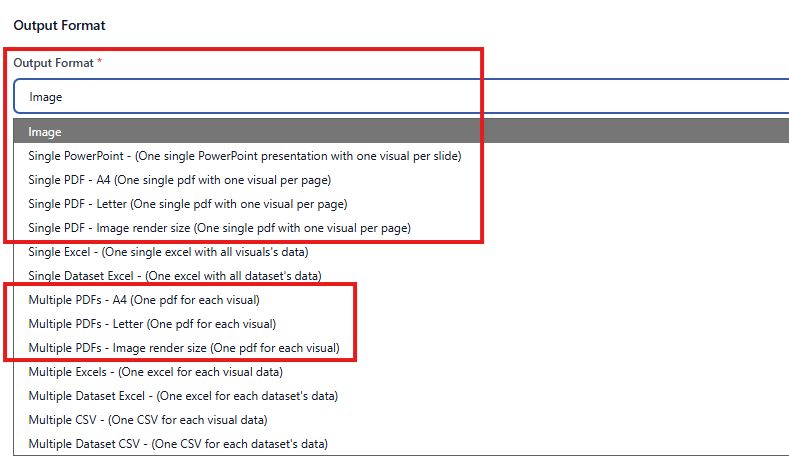
Firstly, log into the web agent, and either create a new playlist or edit an existing one. Then, on the General tab, select Image as the output format. For PowerBI Robots Premium accounts, image tokens are also supported in PDF and PowerPoint output formats.
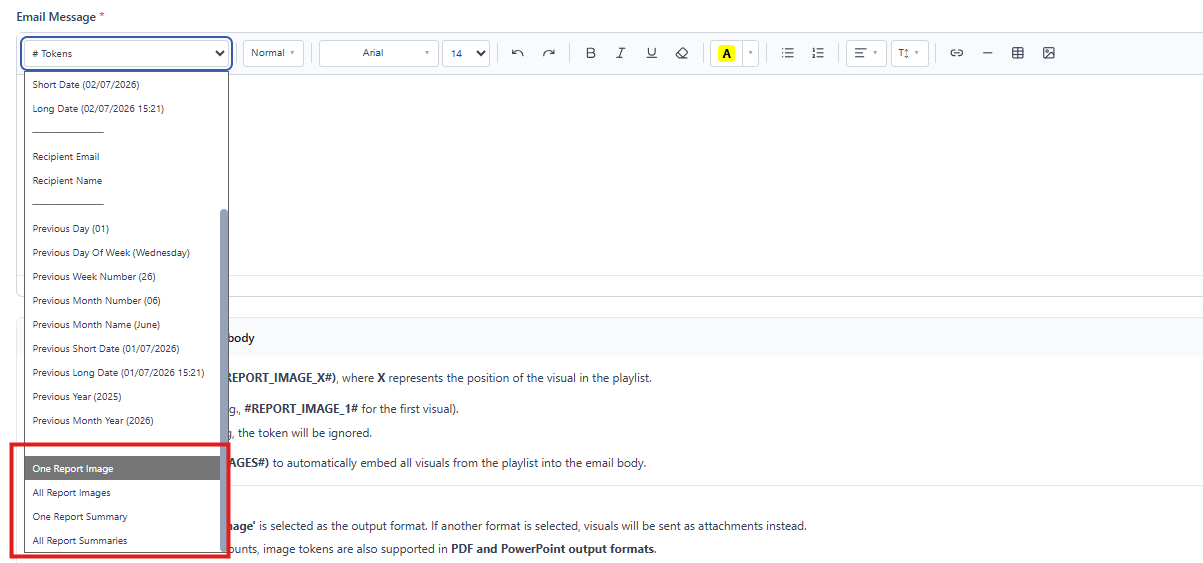
Scroll down to the Email Message, and edit it however you wish. With the cursor placed where you wish to embed a Power BI report, click the down arrow next to the # and either select:
- All Report Images (to insert a token that embeds your entire playlist images in a row) or One Report Image (to embed just one image from your playlist)
- All Report Summaries (to insert a token that makes on summary for all your reports) or One Report Summary (to summarize just one report from your playlist).
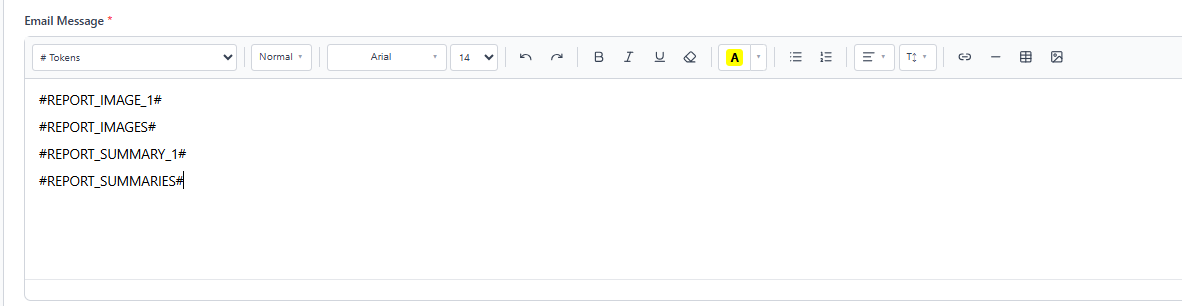
Use the token One Report Image (#REPORT_IMAGE_X#) or One Report Summary (#REPORT_SUMMARY_X#), where X represents the position of the visual in the playlist.
- Replace X with a valid number (e.g., #REPORT_IMAGE_1# or #REPORT_SUMMARY_1# for the first visual).
- If the number is invalid or missing, the token will be ignored.
Use All Report Image (#REPORT_IMAGES#) to automatically embed all visuals from the playlist into the email body. You can also use All Report Summaries (#REPORT_SUMMARIES#) to automatically make a global summary of all your reports in the playlist.
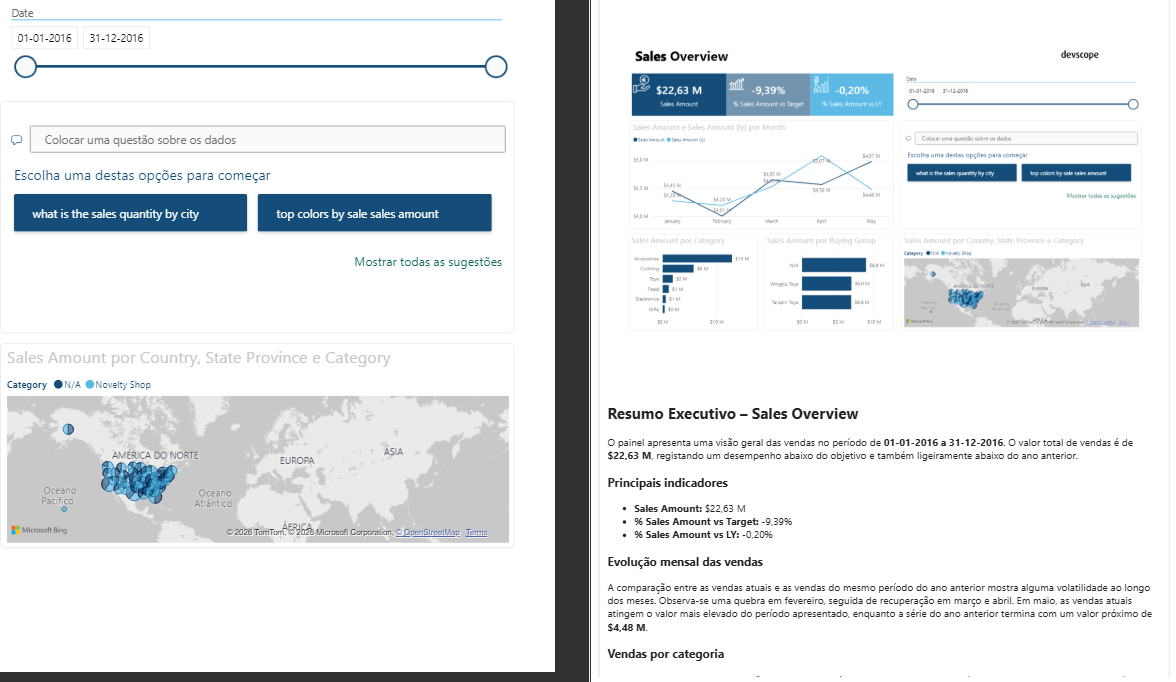
Click Update, open the PowerBI Robots desktop agent to synchronize your playlists after these changes, and you’re done. Your playlist recipients will now see the reports and summaries embedded in their emails. Undoubtedly, this is the perfect method to embed Power BI reports and summaries in emails when you’re dealing with small amounts of data.
Limitations:
- Image tokens only work when 'Image' output is selected as the output format. If another format is selected, visuals will be sent as attachments instead.
- For Premium accounts this feature is also supported in PDF and PowerPoint output formats.
- Summary tokens only work if your plan contains AI Credits. AI Credits can be purchased through the Store in the new interface. Only available for PowerBI Robots Premium license. See here for more information.